It has been a really productive day of coding. After getting my first chart working in the last blog post, I wanted to turn it into a proper dashboard where everything reacts to what the user clicks.
The first big job was changing how the data travels through the app. Instead of each chart doing its own thing, I moved all the logic to the main part of the app. This means I now have one central “brain” that filters the list of books and sends that information down to the charts.
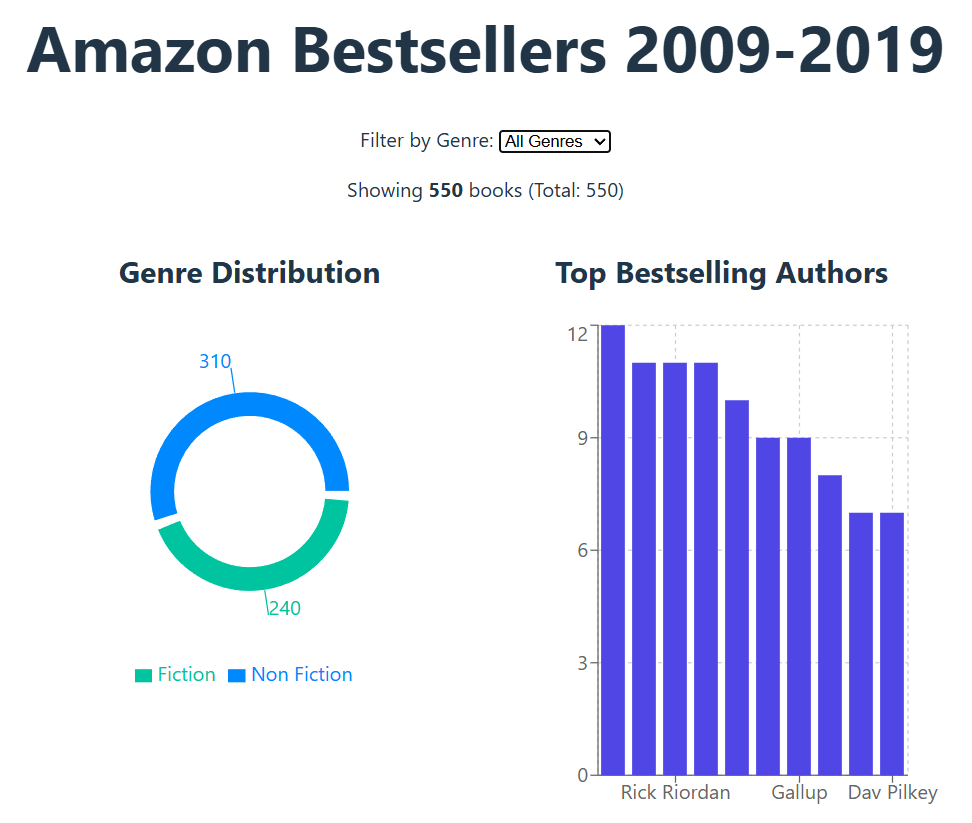
This was a game changer because it let me add a dropdown menu. Now, you can choose to look at just Fiction or Non-Fiction, and the charts instantly update to show the right numbers.
Fixing the Bugs
It wasn’t all smooth sailing. I ran into a few common React errors where the screen went blank because the data wasn’t loading fast enough. I had to add some “safety checks” to the code to tell the charts to wait until the data arrived before trying to draw anything. I also had a few typos that caused the app to crash, but fixing them helped me understand how everything connects together.
What’s Next?
The dashboard is starting to look great. You can filter the books and see the charts change right in front of you. I am planning to add a year slider next so you can look at specific time periods, like just the bestsellers from 2010 to 2012.


Leave a Reply